 Alec Young
 Who is Webtron?
Here at Webtron, we specialize in online auction software and virtual auction technology.
Webtron Integrations, Platforms and Services Explained
Webtron offers a range of platforms and services under the Webtron Online Auction banner, as well as integrations with additional third-party software and services.
The Webtron Auction Dashboard
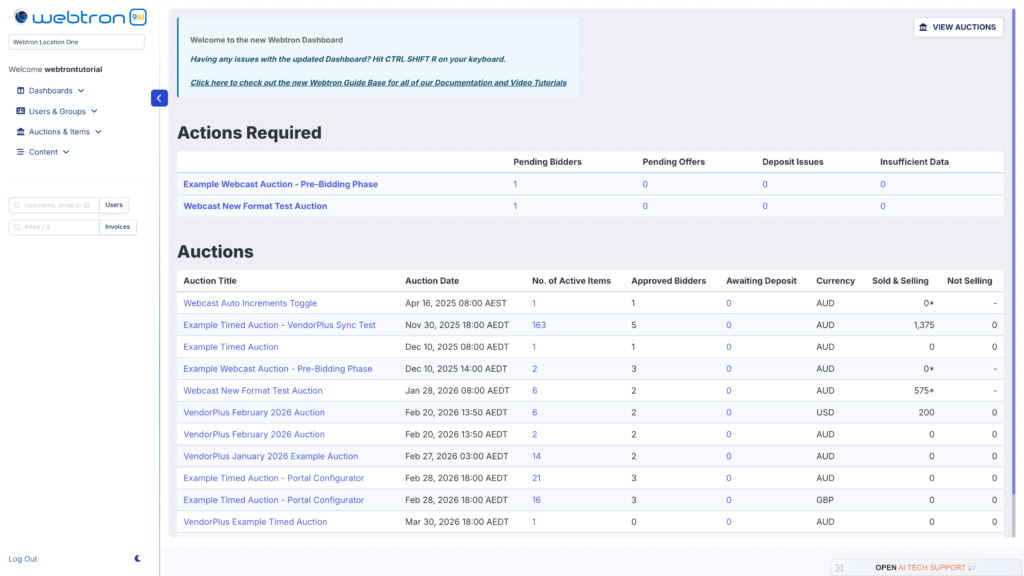
Context Category – Platforms.
Log in required? – Yes, Access Restricted to Dashboard Administrators.
Location – Hidden, Dashboard Administrator status required to see access link on your Portal.
Alternate Names – Webtron Dashboard, Auction Dashboard.
Definition – The Webtron Auction Management Dashboard, or Webtron Dashboard for short, is the dashboard Webtron provides that allows you to Create new Auctions and Items, Manage your Auctions and All Bidding Activity, Manage your Users/Bidders and Clerk your Live Webcast Auctions. Click here to open our Introduction to the Webtron Dashboard guide list.
Your Auction Portal
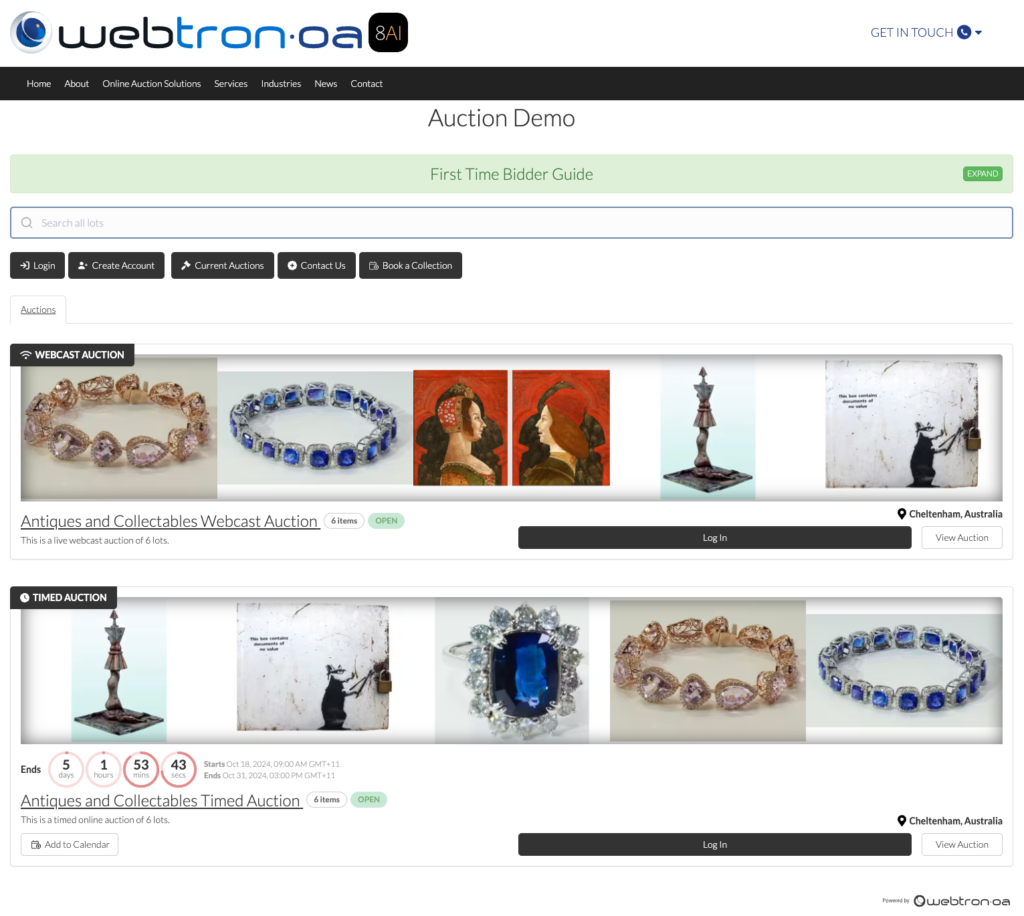
Context Category – Platforms.
Log in required? – For Bidding, yes. Auctions Viewing open to all website visitors.
Location – Your Website.
Alternate Names – “Business Name” Portal, Your Portal, Your Auction Portal.
Definition – The Webtron Auction Portal is the Online Bidding Portal placed on your Website, it is the front-facing Interface your Bidders use to view your Auctions, Auction Item Catalogues, Create an Account, and Browse, Bid on, or Watch your Auctions. When the Portal is placed on your website, we refer to it as “Your Business Name’s Portal”. If you have any questions about your Portal regarding Branding, Colours or Functionalities, feel free to email us at support@webtronoa.com.
Webtron VendorPlus+
Context Category – Platforms.
Log in required? – Yes, Access Restricted to Vendor+ Administrators.
Location – Hidden, access via Direct Link only.
Alternate Names – Webtron VendorPlus, VendorPlus, VendorPlus AI, VendorPlus Photo App.
Definition – Webtron VendorPlus+, or Vendor+ for short, is Webtron’s advanced mobile Lotting application that allows you to Create new Auctions and Items, Upload Photos and Generate Lot Titles, Summaries and Descriptions via AI Analysis, Manage your Auctions, access Auction snapshot Reports, and re-order your Lot Photos*. Click here to open our Vendor+ Explained guide. VendorPlus+ also houses our Xero Invoicing Compatibility module, making it easier than ever to organise your Auction Results into an Invoice import for Xero.
Xero
Xero is a cloud-based Accounting software suite that Webtron has a specially-designed Invoicing Compatibility module, this module streamlines the process of organising your Auction results into an Invoice Import spreadsheet for Xero. The Webtron Xero Invoicing module is located inside your Vendor+, but requires setup with Webtron and, due to a Xero limitation, is currently only available for clients in Australia, New Zealand, and the United Kingdom.
YouTube
YouTube is a video hosting platform, the Webtron Dashboard contains a specially-built embedding feature that enables you to attach YouTube videos on a per-Item basis. These videos display alongside Item information on the Item Details page on your Portal, as well as Autoplay alongside the Item when it is brought into the Ring during your Live Webcast Auctions.
Simplybookme
Simplybookme (or Simplybook.me) is a cloud-based Booking application that Webtron can assist with embedding inside your Auction Portal, enabling your Bidders to schedule Inspections and Collections on available dates and times you set.